Simplify Your Workflow: The Best Project Management Software for Beginners
The modern professional landscape, regardless of industry or role, increasingly demands a structured approach to tasks and projects. For those just embarking on this journey, the concept of “project management” often conjures images of complex Gantt charts and overwhelming dashboards. However, the reality is that project management software, especially when designed for beginners, is a powerful tool for transforming chaos into clarity, ultimately simplifying workflows and boosting productivity. This guide aims to demystify project management software, making it accessible and actionable for anyone looking to bring order to their professional life.
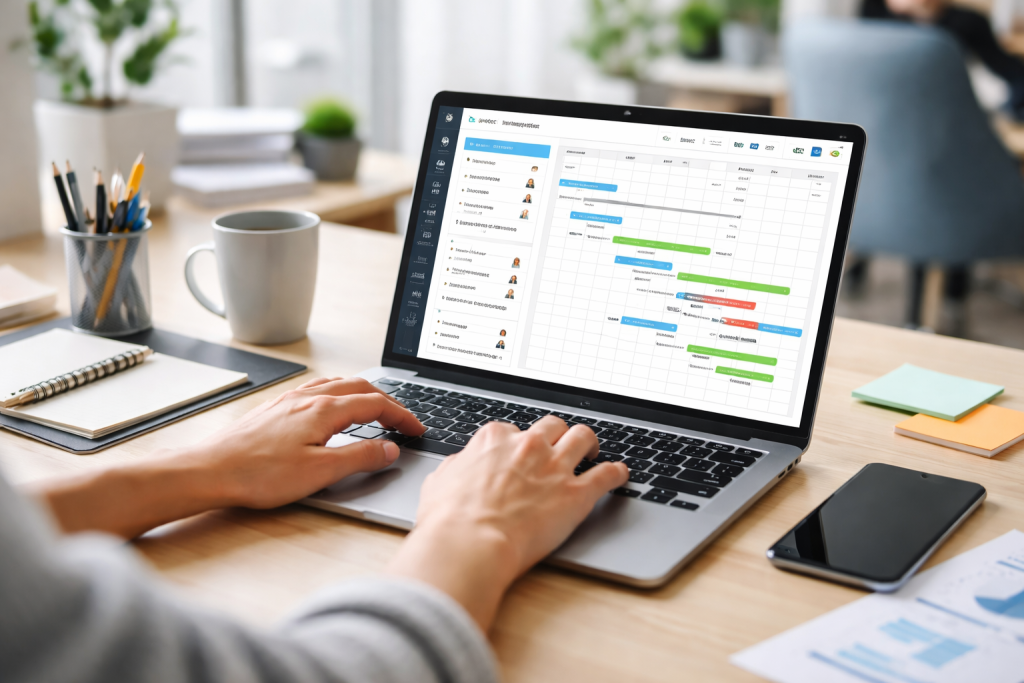
At its core, project management software is a digital assistant designed to help individuals and teams plan, execute, and track projects from inception to completion. It’s a central hub where all project-related information resides, providing a single source of truth and fostering collaboration. Think of it as your virtual whiteboard, calendar, and task manager all rolled into one, but with the added benefit of intelligent features and automation.
Contents
- 1 What is Project Management and Why is Software Essential?
- 2 Key Benefits for Beginners
- 3 Identifying Your Project Management Requirements
- 4 Prioritizing User-Friendliness and Intuitive Design
- 5 Essential Task Management Tools
- 6 Simple Scheduling and Deadlines
- 7 Streamlined Communication and Collaboration
- 8 Basic Reporting and Progress Tracking
- 9 Asana: The Versatile Task Manager
- 10 Trello: The Visual Kanban Board
- 11 ClickUp: The All-in-One Workspace
- 12 Monday.com: The Intuitive Work OS
- 13 Starting Small and Building Momentum
- 14 Consistent Daily Engagement
- 15 Leveraging Notifications and Reminders Effectively
- 16 Regular Review and Adaptation
What is Project Management and Why is Software Essential?
Project management, in its simplest form, involves defining goals, breaking down large tasks into smaller, manageable steps, assigning responsibilities, setting deadlines, and monitoring progress. While these steps can theoretically be managed with pen and paper, the limitations quickly become apparent as projects grow in complexity or as teams expand. Software automates repetitive tasks, provides real-time updates, facilitates communication, and offers analytical insights that manual methods simply cannot. It transforms the often-abstract concept of project management into a tangible, digital framework, making it far easier to understand and implement, particularly for novices.
Key Benefits for Beginners
For individuals new to structured project management, the advantages are manifold. It instils discipline by prompting you to define clear objectives and allocate resources effectively. It enhances organisation, ensuring no task falls through the cracks. Moreover, it significantly improves communication, as all project participants can instantly access relevant information, reducing misunderstandings and time lost in back-and-forth emails. Most importantly, it provides a visual representation of progress, offering a sense of accomplishment and motivating continued effort, which is crucial when learning a new approach to work.
The market for project management software is vast and can feel overwhelming. For beginners, the key is to prioritise simplicity, intuitiveness, and features that directly address immediate needs without introducing unnecessary complexity. A common pitfall is to choose software with too many advanced features that will remain unused, leading to frustration rather than efficiency.
Identifying Your Project Management Requirements
Before even browsing options, take a moment to reflect on your current workflow challenges. Are you struggling with keeping track of deadlines? Do you often forget crucial tasks? Is communication with collaborators disjointed? Do you need a simple way to visualise your progress? Answering these questions will help narrow down the field. For most beginners, basic task management, simple scheduling, and straightforward communication tools are paramount. Avoid solutions designed for large-scale enterprise projects if your needs are confined to individual or small team initiatives.
Prioritizing User-Friendliness and Intuitive Design
For beginners, the learning curve is a critical factor. The best software will have a clean, uncluttered interface that is easy to navigate whether you’re technologically savvy or not. Look for clear labelling, intuitive drag-and-drop functionalities, and readily available in-app tutorials or knowledge bases. A platform that requires extensive training to use effectively is likely to become a barrier rather than an enabler. The goal is to spend more time doing and less time learning the software.
While advanced platforms boast a plethora of features, beginners should focus on a core set of functionalities that provide the most immediate and impactful benefits. These are the building blocks of effective project management, designed to streamline your initial foray into organised workflows.
Essential Task Management Tools
This is arguably the most crucial feature. Look for software that allows you to easily create tasks, assign them to individuals, set due dates, and add detailed descriptions. The ability to break down larger tasks into subtasks is also incredibly valuable, preventing overwhelm and making complex projects more approachable. Check if it offers different task views, such as a simple list, a Kanban board for visual progress tracking, or a basic calendar view.
Simple Scheduling and Deadlines
Understanding project timelines is fundamental. The software should allow you to clearly see upcoming deadlines and how different tasks relate to each other. For beginners, an overly complex Gantt chart might be too much. Instead, prioritise a calendar view or a timeline feature that visually represents task durations and dependencies in an easy-to-understand format. Alerts and reminders for approaching deadlines are also indispensable for staying on track.
Streamlined Communication and Collaboration
Even solo projects benefit from organised communication if you’re interacting with clients or external stakeholders. For teams, this is non-negotiable. Look for features like in-task commenting, shared files, and perhaps even a simple messaging function. The aim is to centralise communication within the project context, reducing reliance on fragmented email threads. The ability to tag team members and receive notifications ensures everyone is kept in the loop.
Basic Reporting and Progress Tracking
While advanced analytics might not be necessary initially, the ability to quickly gauge project progress is vital. Look for dashboards that offer a high-level overview of completed tasks, upcoming deadlines, and overall project status. Simple visual indicators, like progress bars or colour-coded tasks, can provide powerful insights without requiring extensive data analysis skills. This instant feedback loop is incredibly motivating and helps in demonstrating value.
With a clearer understanding of essential features, it’s time to explore some of the leading contenders in the beginner-friendly project management software arena. Each offers a slightly different flavour, but all share a commitment to simplifying the project management process.
Asana: The Versatile Task Manager
Asana is renowned for its flexibility and user-friendly interface. It excels at task management, offering multiple views like lists, boards, and calendars. It’s particularly strong for managing individual tasks and collaborative team projects. Its intuitive design makes it easy to jump in and start organising work immediately, and its robust free tier provides significant functionality for solo users and small teams. Its strength lies in its ability to adapt to various workflows without being overly prescriptive.
Trello: The Visual Kanban Board
Trello revolutionised task management with its iconic Kanban board interface. If you’re a visual learner, Trello might be your perfect match. Tasks are represented as “cards” that you can drag and drop across different “lists” (e.g., To Do, Doing, Done). This visual metaphor makes it incredibly easy to track progress at a glance. It’s ideal for personal organisation, small team projects, and agile methodologies where a clear visual representation of flow is beneficial. Its simplicity is its greatest asset.
ClickUp: The All-in-One Workspace
ClickUp aims to be the “one app to replace them all”, offering a comprehensive suite of features that can be customised to an astounding degree. While its breadth of features might seem daunting at first, its modular design allows beginners to start with only the essential tools and gradually explore more advanced functionalities as their needs evolve. It offers various task views, robust collaboration tools, and integrates with many other popular applications. For those who anticipate their project management needs growing over time, ClickUp offers a scalable solution.
Monday.com: The Intuitive Work OS
Monday.com presents itself as a “Work OS” designed to manage everything from projects to daily tasks. Its strength lies in its highly visual and customisable boards, where tasks and data are presented in a spreadsheet-like interface combined with intuitive colour-coding and progress bars. It’s extremely easy to get started with, offering a wide range of templates for various project types. Its visual clarity and emphasis on collaboration make it a strong contender for beginners who need to quickly get a handle on diverse workflows.
Adopting new software is only half the battle; the other half is making it an indispensable part of your daily workflow. For beginners, this integration should be gradual and intentional, focusing on consistent usage to build habit and maximise efficiency.
Starting Small and Building Momentum
Don’t feel pressured to migrate every single task or project into your new software instantaneously. Begin by managing one or two small, easily definable projects. This allows you to learn the software’s nuances without the stress of managing critical, time-sensitive tasks. As you become more comfortable, gradually expand its use to more complex projects. Celebrate small victories, like successfully completing a project managed entirely within the software, to reinforce positive habits.
Consistent Daily Engagement
The true power of project management software emerges through consistent use. Make it a routine to check your tasks and project dashboards at the start of each day to plan your work and again at the end to review progress. Input new tasks and updates immediately as they arise, rather than letting things accumulate. The more regularly you interact with the software, the more it becomes a natural extension of your work process, significantly reducing the mental effort required to stay organised.
Leveraging Notifications and Reminders Effectively
Most project management software offers robust notification systems. Configure these to your preference, ensuring you receive timely alerts without being overwhelmed. Use reminders for critical deadlines and follow-ups. This outsourcing of mental load to the software frees up cognitive resources, allowing you to focus on the work itself rather than constantly remembering what needs to be done next. Tailor notifications to your working style – some prefer email summaries, while others benefit from in-app badges.
Regular Review and Adaptation
Your workflow is not static, and neither should your use of project management software be. Periodically review how you’re using the tool. Are there features you’re underutilising? Are there others that are hindering your progress? Don’t be afraid to adjust your approach, reorganise your tasks, or even explore new features as your needs evolve. The goal is continuous improvement, and the software is a dynamic tool to support that. Embrace its adaptability to truly maximise your efficiency.

Fit Text Graphics is the creator of SkillNexy, a platform focused on helping people learn valuable skills and grow in their careers. SkillNexy’s mission is to make skill development simple, practical, and accessible for everyone.