
From Chaos to Clarity: Tips for Organizing Your Digital Files Like a Pro
The relentless surge of digital information can quickly transform our once pristine virtual landscapes into overwhelming scrapyards. Emails flood inboxes, photos multiply at an alarming rate, documents accumulate from countless projects, and downloaded resources for future reference become lost in a sea of nameless files. This digital disarray isn’t just an aesthetic issue; it’s a significant drain on our productivity, mental energy, and frankly, our ability to locate critical information when we need it most. The journey from digital chaos to crystal-clear organisation is not only achievable but essential for anyone navigating the modern world.
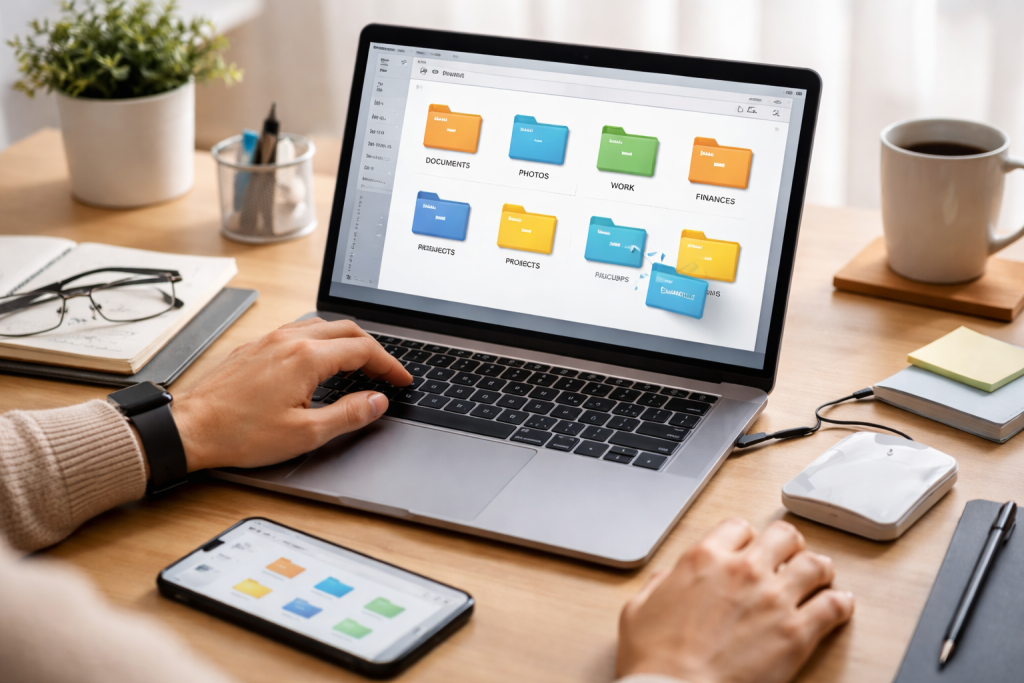
In an era where our lives are increasingly intertwined with our digital devices, the way we manage our files has a profound impact on our daily operations. The immediate consequence of poor organisation is wasted time. Imagine the frustration of searching for a crucial report only to spend minutes, or even hours, sifting through countless folders and files with cryptic names. This lost time translates directly into decreased productivity, impacting deadlines, project momentum, and overall professional and personal effectiveness. Beyond mere time consumption, digital clutter can also lead to increased stress and anxiety. A disorganised system can feel like a constant mental burden, making it difficult to focus on tasks at hand and contributing to a general sense of being overwhelmed. Furthermore, the inability to quickly access important documents or creative assets can hinder innovation and strategic planning. When you can’t find what you need, you’re less likely to build upon existing work or leverage valuable past experiences. The security and longevity of your digital assets are also at stake. Without a proper system, critical files may be accidentally deleted, corrupted, or lost to hardware failure, leaving you with irreparable data loss. Therefore, investing time and effort into digital file organisation is not a luxury but a fundamental requirement for efficient, stress-free digital living.
Contents
- 1 The Tangible Benefits of a Well-Organized Digital Environment
- 2 The Power of Decluttering and Purging
- 3 Establishing Core Organizational Principles
- 4 Leveraging Built-in Operating System Features
- 5 Exploring Third-Party File Management Solutions
- 6 Cloud Storage and Synchronization: A Modern Necessity
- 7 The Anatomy of a Well-Named File
- 8 Strategies for Renaming Existing Files
- 9 Designing a Logical Folder Hierarchy
- 10 Utilizing Tags and Metadata for Enhanced Organization
- 11 Creating Dedicated Project-Based Folders
- 12 Batch Processing and Automation for Efficiency
- 13 Integrating File Organization into Your Daily Routine
- 14 Utilizing Templates and Favorites for Quick Access
- 15 Performing Regular Digital Audits and Clean-ups
- 16 Adapting Your System as Your Needs Evolve
- 17 Implementing a Robust Backup Strategy
- 18 Protecting Your Digital Files from Threats
- 19 The Power of Daily Digital Tidy-Ups
- 20 Practicing Digital Minimalism: Less is Often More
- 21 Setting Aside Dedicated Time for Organization
- 22 Reducing Time Spent Searching and Retrieving
- 23 Enhancing Focus and Reducing Cognitive Load
- 24 Facilitating Seamless Collaboration and Workflow
The Tangible Benefits of a Well-Organized Digital Environment
The advantages of a meticulously organised digital space extend far beyond simply finding files. Firstly, there’s the undeniable boost in productivity. When everything has its designated place and is easily retrievable, you can spend less time hunting for information and more time actually working on projects. This efficiency gain is amplified across collaborative environments, where shared access to organised files facilitates smoother teamwork and reduces the likelihood of duplicated efforts or confusion. Secondly, a clean digital workspace significantly contributes to improved mental well-being. The act of decluttering and organising your digital life can be remarkably cathartic, reducing feelings of overwhelm and freeing up mental bandwidth for more creative and strategic thinking. When your digital environment is predictable and manageable, you experience a greater sense of control, which can lead to reduced stress and increased focus. Furthermore, a well-organised system fosters better decision-making. readily accessible and clearly categorised information allows for quicker analysis and more informed choices, whether you’re preparing for a presentation or making a personal financial decision. Ultimately, investing in digital organisation is an investment in your sanity, your effectiveness, and the long-term preservation of your valuable digital assets.
The transition from a chaotic digital existence to an organised one requires a thoughtful and systematic approach. It’s not about a quick fix but about establishing sustainable habits and a logical framework. The first step in this transformation is to conduct a thorough audit of your existing digital landscape. This involves acknowledging the current state of your files, identifying areas of significant disorganisation, and understanding the types of files you typically work with. Think of it as surveying the terrain before you start building your new digital home. Once you have a clear picture of the current situation, it’s time to define your vision for an organised system. What does “organised” look like for you? What are your primary goals for this new system? Is it faster retrieval of work-related documents, easier photo management, or more efficient access to research materials? Having a clear objective will guide your organisational strategy. Following this, you’ll need to develop a consistent methodology. This involves making deliberate choices about how you will name, categorise, and store your files moving forward. This is where the foundation of your systematic approach is laid, ensuring that the organisation you create today will endure tomorrow.
The Power of Decluttering and Purging
Before you can build an organised digital future, you must address the accumulated digital debris of the past. This initial decluttering phase is crucial and can be daunting, but the rewards are immense. Begin by systematically going through your files, starting with the most problematic areas, such as your desktop or your downloads folder. The key here is to be ruthless yet judicious. Ask yourself critical questions about each file: Is this still relevant? Will I likely need this again? If the answer is no, or if you’re uncertain and it’s easily replaceable, it’s time to delete it. For files that you’re unsure about but don’t want to lose immediately, consider moving them to a temporary “review” folder. Set a deadline for yourself to go through this review folder, forcing a decision. This process isn’t just about deleting unwanted files; it’s about identifying redundant copies, outdated versions, and forgotten projects that are taking up valuable digital real estate and adding to the confusion. A clean slate provides a much-needed foundation for implementing your new organisational structure.
Establishing Core Organizational Principles
A systematic approach to file organisation is built upon a set of guiding principles that will inform every decision you make. One of the most fundamental is consistency. Whatever system you devise, you must adhere to it rigorously. This consistency extends to naming conventions, folder structures, and the frequency with which you maintain your files. Another vital principle is simplicity. Overly complex systems can be difficult to maintain and understand, leading to a return to disorganisation. Aim for a design that is intuitive and easy to navigate. Prioritisation also plays a role. Consider which types of files you access most frequently and design your system to make those readily available. Finally, embrace a mindset of continuous improvement. Digital organisation isn’t a one-time event; it’s an ongoing process that requires periodic review and adjustment as your needs and workflows evolve. By adopting these core principles, you lay the groundwork for a robust and sustainable organisational system.
Navigating the vast ocean of digital files without the right tools is like attempting to build a house with only your bare hands. Fortunately, a robust ecosystem of file management tools and software exists to aid you in your quest for digital order. The selection of these tools should be guided by your specific needs, the operating system you use, and the complexity of your digital life. For everyday file management within your operating system, leveraging the built-in tools effectively is paramount. File Explorer on Windows and Finder on macOS offer powerful sorting, searching, and organising capabilities that often go underutilised. Beyond these native tools, many excellent third-party applications can enhance your file management experience. These range from advanced file organisers that automate sorting and tagging to cloud-based storage solutions that offer seamless synchronisation and version control. When evaluating software, consider its ease of use, its integration with other applications you rely on, and its ability to scale with your growing digital footprint. The right tools can transform a tedious chore into an efficient and even enjoyable part of your digital routine.
Leveraging Built-in Operating System Features
Your computer’s native file management system is a powerful, often overlooked, ally in the fight against digital chaos. Both Windows File Explorer and macOS Finder offer a suite of robust features designed to help you organise, locate, and manage your files with greater efficiency. Familiarise yourself with their functionalities, such as creating custom views, utilising sort options based on various criteria like date modified or file type, and employing advanced search parameters. The ability to create shortcuts, bookmarks, and smart folders can significantly streamline access to frequently used files and folders. Mastering these built-in tools is the foundational step before considering external software, as they are designed to work in harmony with your operating system, offering a seamless and integrated experience.
Exploring Third-Party File Management Solutions
While operating system tools are powerful, third-party applications can elevate your file management to a professional level. For those dealing with overwhelming numbers of documents, photos, or other media, specialised file organisers offer advanced features like bulk renaming, automatic categorisation based on metadata, and sophisticated tagging systems. Cloud storage services such as Google Drive, Dropbox, and OneDrive are indispensable for synchronisation across multiple devices and for providing an accessible backup solution. These platforms often come with built-in collaboration features and robust search functionalities. Consider software that allows for previewing various file types without needing to open them or those that offer advanced search capabilities that go beyond simple keyword matching, scanning file content for more precise retrieval. The right software can automate repetitive tasks, provide powerful insights into your file structure, and ultimately save you considerable time and frustration.
Cloud Storage and Synchronization: A Modern Necessity
The advent of cloud storage has revolutionised how we manage and access our digital files. Services like Google Drive, Dropbox, and OneDrive offer not just decentralised storage but also crucial synchronisation capabilities. This means your files are accessible from any device with an internet connection, eliminating the risk of losing data if a single device fails. More importantly, synchronisation ensures that you are always working with the most up-to-date versions of your files, regardless of which device you’re using. This seamless integration is invaluable for collaboration, allowing team members to work on shared documents without version conflicts. Furthermore, cloud storage providers often offer robust backup solutions, providing an additional layer of security for your precious digital assets.
The adage “a place for everything and everything in its place” is equally applicable to how you name your digital files. Cryptic or inconsistent file names are a major contributor to digital disarray, making it nearly impossible to understand the content of a file at a glance or to search for it effectively. Establishing and adhering to a clear and consistent file naming convention is one of the most impactful steps you can take towards achieving digital clarity. This convention should be logical, descriptive, and adaptable to the types of files you manage. Think of your file names as mini-database entries, providing essential metadata without the need to open the file itself. A well-structured name can immediately tell you the content, the date it was created or modified, the project it belongs to, and even the author. This level of detail ensures that searching for files becomes a swift and accurate process, rather than a frustrating game of guesswork.
The Anatomy of a Well-Named File
A robust file naming convention is built upon a predictable structure that includes key pieces of information. A common and effective format often begins with the date, typically in YYYY-MM-DD format, which ensures chronological sorting. This is followed by a descriptive title of the file’s content. Avoid generic terms like “document” or “report”. Instead, be specific, for example, “Annual_Sales_Report_Q3_2023″. ” You can further enhance this by including client names, project identifiers, or version numbers. For instance, “ClientName_ProjectID_Proposal_v2.docx” immediately provides context. Keep in mind that different operating systems and file systems may have limitations on characters allowed in file names, so it’s wise to stick to alphanumeric characters and hyphens or underscores. Consistency is paramount; once you establish your convention, apply it without exception to all new files and, as your time permits, to existing ones.
Strategies for Renaming Existing Files
The task of renaming a large backlog of disorganised files can seem overwhelming, but it is a crucial step in establishing order. Start by focusing on your most frequently accessed or most critical files. Utilise the bulk renaming features offered by your operating system or third-party file management software. Many tools allow you to apply a uniform renaming pattern to multiple files simultaneously, saving significant time. For instance, you can batch add a date prefix or append a project identifier to a series of files. Consider creating temporary folders for specific renaming projects. Move a batch of files into this temporary folder, apply the renaming convention, and then move them to their permanent, organised locations. Patience and perseverance are key; tackling this task incrementally will make it more manageable and less daunting, ultimately leading to a significantly improved digital landscape.
The organisational framework for your digital files is largely dictated by how you structure your folders and categorise your content. This is where you create the map and the labelled destinations for your digital life. A well-designed folder structure should be intuitive, scalable, and reflect the way you naturally think about and interact with your information. Avoid excessive nesting, which can lead to deep, cumbersome paths that are difficult to navigate. Aim for a balance between broad categories and more specific subfolders, striking a chord that resonates with your workflow. The goal is to create a system that allows you to locate any file within a few clicks, making the retrieval process as effortless as possible.
Designing a Logical Folder Hierarchy
The foundation of any organised digital space is a logical and hierarchical folder structure. Begin by identifying the broadest categories of your digital life. Common top-level folders might include “Work”, “Personal”, “Projects”, “Photos”, “Documents”, and “Finances”. Within these main categories, create subfolders that further refine the content. For example, under “Work”, you might have subfolders for different clients, departments, or types of projects. Under “Personal”, you could have folders for “Health”, “Travel”, “Hobbies”, and “Education”. The depth of your folder structure should be sufficient to provide clear organisation without becoming overly complicated. Aim for a hierarchy that allows you to find what you need quickly and easily, avoiding more than three or four levels of nesting whenever possible.
Utilizing Tags and Metadata for Enhanced Organization
Beyond folder structures, tags and metadata offer a powerful, flexible layer of organisation that can significantly enhance your ability to find and manage files. Tags are keywords or labels that you can assign to files, allowing you to group them across different folders. For example, a single report might be located in a “Project Alpha” folder, but you could tag it with “Q3_Sales”, “Marketing”, and “ClientX” to easily find it when searching for any of those terms, regardless of its physical location. Metadata, which is data about data, can include information like author, creation date, keywords, and subject. Many operating systems and file management tools allow you to add and utilise this metadata, making your files more searchable and discoverable. Properly leveraging tags and metadata transforms your digital archive from a static collection of files into a dynamic, easily navigable database.
Creating Dedicated Project-Based Folders
For many individuals and teams, projects represent a significant portion of their digital workload. Therefore, establishing a dedicated system for organising project-based files is paramount to maintaining clarity and efficiency. A common and effective approach is to create a main “Projects” folder and, within that, a subfolder for each individual project. These project subfolders should typically contain consistent sub-structures to house different types of project-related materials, such as “Documents”, “Assets”, “Research”, “Correspondence”, and “Deliverables”. This standardised approach ensures that all project files are easily locatable and that team members know exactly where to find what they need. When a project is completed, you can easily move its entire folder to an archive or a designated “Completed Projects” area, keeping your active project workspace clean and focused.
The ultimate goal of digital file organisation is not simply to have tidy folders but to create a seamless workflow that maximises your productivity and minimises friction. Efficient file organisation techniques are the bridges that connect your organised digital assets to your daily tasks. By implementing smart strategies, you can ensure that the information you need is always at your fingertips, allowing you to move through your tasks with agility and focus. This involves not only establishing the initial order but also integrating organisational practices into your daily routine. The aim is to make the process of finding, using, and storing files an almost unconscious, efficient part of your work.
Batch Processing and Automation for Efficiency
One of the most powerful ways to streamline your workflow is through batch processing and automation. Instead of dealing with files one by one, consider grouping similar tasks. For example, instead of saving individual photos as you take them, dedicate time at the end of the day or week to transfer and rename them all at once according to your established convention. Similarly, for downloaded files, designate a specific time each day or week to sort and file them into their proper locations. Many file management tools offer scripting or automation features that can further expedite these processes. Tasks like identifying duplicate files, running malware scans on downloaded content, or even scheduling regular backups can be automated, freeing up your mental energy for more complex work.
Integrating File Organization into Your Daily Routine
The most effective file organisation systems are those that are consistently maintained. This means integrating organisation into your daily workflow rather than treating it as a separate, monumental task. As you create or download a file, take a moment to name it correctly and save it in the appropriate folder immediately. This proactive approach prevents clutter from accumulating in the first place. Schedule regular, short “digital tidying” sessions, perhaps 15-30 minutes at the end of each workday, to file away any stray documents, clear your downloads folder, and ensure everything is in its proper place. This consistent habit-building will prevent overwhelm and ensure that your digital workspace remains a source of clarity, not chaos.
Utilizing Templates and Favorites for Quick Access
To further streamline your workflow, leverage templates and favourites to provide quick access to frequently used files and folder locations. Create templates for documents you regularly generate, such as invoices, project proposals, or meeting minutes. Storing these templates in an easily accessible folder allows you to start new documents quickly without recreating common structures and content. Similarly, bookmark or “favourite” your most frequently accessed folders within your file explorer or cloud storage. This allows you to jump directly to those locations with a single click, bypassing the need to navigate through multiple layers of folders. These small efficiencies, when accumulated, can lead to significant time savings and a smoother overall workflow.
Establishing a meticulous digital file organisation system is a significant achievement, but it is only half the battle. The true art of digital organisation lies in its ongoing management and maintenance. Without consistent attention, even the most well-intentioned system can gradually devolve back into chaos. Think of it like maintaining a physical filing cabinet; if you stop filing new documents and rarely purge old ones, it quickly becomes unusable. The same principle applies to your digital world. Regular review, occasional refinement, and a commitment to consistency are the cornerstones of ensuring your digital workspace remains a productive and organised sanctuary. This ongoing process is not a burden but an investment in sustained efficiency and peace of mind.
Performing Regular Digital Audits and Clean-ups
Just as you might declutter your home periodically, your digital space requires regular audits and clean-ups. Schedule these sessions proactively, perhaps monthly or quarterly. During these audits, revisit your folder structures. Are they still serving your needs? Are there any redundancies or areas that have become overly cluttered? This is also the time to purge files that are no longer necessary. Be ruthless in deleting old draft versions, completed projects that you no longer need immediate access to, or duplicate files. For files you are unsure about keeping, consider moving them to a temporary “Archive” folder with a clear date to review them again later. This proactive approach prevents small omissions from snowballing into significant disorganisation.
Adapting Your System as Your Needs Evolve
Your digital life is not static; it changes as your projects, work, and personal interests evolve. Consequently, your file organisation system must also be adaptable. As you take on new projects, change jobs, or develop new hobbies, your existing folder structures or naming conventions might need adjustments. Don’t be afraid to modify your system. If you find yourself consistently struggling to find a particular type of file, it’s a sign that your current structure might need tweaking. The key is to make these adjustments consciously and systematically, ensuring that any changes maintain the overall integrity and usability of your system. Regularly asking yourself, “Is this system still working for me?” is crucial for long-term success.
Once your digital files are meticulously organised, the next crucial step is to ensure their safety and security. Imagine meticulously organising your entire library only to have it destroyed by a sudden fire or theft. The same applies to your digital assets. A robust backup and security strategy is not an afterthought; it’s an integral part of a well-rounded digital organisation plan. Without proper protection, all your hard work in organising can be rendered moot by data loss, corruption, or unauthorised access. Prioritising these aspects ensures that your valuable information remains accessible, intact, and protected from both accidental and malicious threats.
Implementing a Robust Backup Strategy
A comprehensive backup strategy is your digital safety net. Relying on a single backup method is risky; therefore, employing a multi-layered approach is highly recommended. This typically involves the “3-2-1 rule”: at least three copies of your data, stored on two different types of media, with at least one copy being off-site. Your primary backup could be to an external hard drive or a Network Attached Storage (NAS) device. For your off-site backup, cloud storage services are an excellent and convenient option, as they protect your data from local disasters like fire, flood, or theft. Ensure that your backups are automated and performed regularly, so you don’t have to remember to do them manually. Periodically test your backups to confirm that they are functioning correctly and that you can restore files if needed.
Protecting Your Digital Files from Threats
Beyond accidental data loss, your digital files are also vulnerable to cyber threats. Implementing strong security measures is essential to protect your organised data from malware, ransomware, and unauthorised access. This begins with using strong, unique passwords for all your accounts and devices and enabling two-factor authentication whenever possible. Keep your operating system and all your software up-to-date with the latest security patches, as these often address vulnerabilities. Install and maintain reputable antivirus and anti-malware software on all your devices. Be cautious about opening email attachments from unknown senders or clicking on suspicious links. For particularly sensitive files, consider using file encryption tools, which render your data unreadable to anyone without the decryption key.
Achieving a clutter-free digital workspace is not a destination but a continuous journey. The habits you cultivate and the routines you establish will determine whether your digital environment remains a haven of clarity or succumbs to entropy. It’s about making conscious choices every day that reinforce your commitment to organisation. These small, consistent efforts prevent the daunting task of a massive digital clean-up down the line. By integrating these tips into your daily and weekly practices, you can ensure that your digital workspace remains a productive and stress-free zone, transforming your online experience from one of frustration to one of focused efficiency.
The Power of Daily Digital Tidy-Ups
Make it a habit to dedicate a few minutes at the end of each workday for a “digital tidy-up”. This doesn’t have to be an extensive process. Simply take a moment to file away any loose documents from your desktop, clear out your downloads folder, and ensure that any new files are named and placed correctly. This proactive approach prevents clutter from accumulating and becoming an overwhelming task later. Think of it as a quick sweep before you “close shop” for the day. This small, consistent action will significantly contribute to maintaining a clean and organised digital workspace over time.
Practicing Digital Minimalism: Less is Often More
Embrace the philosophy of digital minimalism. Regularly question the necessity of every file and application you have. Do you really need that software you downloaded for a one-time project? Are those dozens of screenshots from years ago still relevant? Consciously strive to keep only what you truly need. This means being more mindful about downloads, subscriptions, and the accumulation of digital detritus. The less you have to manage, the easier it will be to keep organised. This principle extends to your email inbox as well; aim for inbox zero or a consistently managed inbox by unsubscribing from unnecessary newsletters and promptly archiving or deleting emails.
Setting Aside Dedicated Time for Organization
While daily tidy-ups are crucial, it’s also beneficial to schedule dedicated blocks of time for more in-depth organisation tasks. This could be an hour every week or a half-day every month for tasks such as reviewing your folder structures, archiving old projects, or implementing new naming conventions. Treating these organisational sessions as important appointments on your calendar will ensure they get done. Approaching organisation with this dedicated focus allows for more thorough work and the ability to tackle any larger organisational challenges that may have emerged.
The culmination of all these efforts—understanding the importance, creating a system, choosing tools, implementing conventions, and maintaining it diligently—leads to the ultimate goal: maximising productivity and efficiency. When your digital files are organised, you unlock a cascade of benefits that ripple through every aspect of your work and personal life. The time saved, the reduced stress, and the improved clarity all contribute to a more effective and enjoyable digital experience. Organised file management transforms your computer from a potential source of frustration into a powerful tool that supports your ambitions and facilitates your success.
Reducing Time Spent Searching and Retrieving
The most immediate and significant benefit of organised digital files is the drastic reduction in time spent searching for information. When you know where to find what you need, you can retrieve documents, images, or data in seconds, not minutes or hours. This saved time can be reallocated to more meaningful tasks, creative endeavours, or strategic thinking. The ability to quickly access past projects, research materials, or client information empowers you to respond more rapidly to requests and maintain momentum on current tasks. This efficiency is not just about saving time; it’s about reclaiming mental energy that would otherwise be spent battling digital disarray.
Enhancing Focus and Reducing Cognitive Load
A cluttered digital workspace is a significant drain on our cognitive resources. Constantly being bombarded with disorganised files and the nagging feeling that something important might be lost contributes to mental fatigue and scattered focus. Conversely, a well-organised system provides a sense of order and predictability, significantly reducing cognitive load. When your digital environment is clean and manageable, your mind is free to concentrate on the task at hand, leading to deeper focus, improved creativity, and enhanced problem-solving abilities. The peace of mind that comes from knowing everything is in its place is invaluable for maintaining productivity and mental well-being.
Facilitating Seamless Collaboration and Workflow
In today’s interconnected world, effective collaboration is paramount. Organised digital files are the bedrock of seamless teamwork. When everyone in a team adheres to a consistent naming convention and folder structure, sharing files becomes effortless, and version control is simplified. This clarity reduces miscommunication, prevents duplicated efforts, and allows team members to contribute more effectively. Whether you’re sharing a document with a colleague, a client, or a collaborator, a well-organised system ensures that your information is presented professionally and is easily accessible, fostering trust and efficiency within your collective efforts. The journey from chaos to clarity in your digital life is an ongoing, rewarding process, one that ultimately empowers you to work smarter, live more peacefully, and achieve your goals with greater ease.

Fit Text Graphics is the creator of SkillNexy, a platform focused on helping people learn valuable skills and grow in their careers. SkillNexy’s mission is to make skill development simple, practical, and accessible for everyone.