Maximize Your Remote Work Productivity with These Essential Tools
In today’s dynamic professional landscape, remote work has transitioned from a niche benefit to a widespread operational model. While the flexibility and autonomy it offers are undeniable, maintaining and even boosting productivity outside of a traditional office environment requires a strategic embrace of digital tools. The right arsenal of software and applications can bridge geographical divides, streamline workflows, and ensure that remote teams operate with maximum efficiency. This article breaks down the essential categories of tools that empower individuals and teams to thrive in a distributed setting, transforming potential challenges into opportunities for enhanced output.
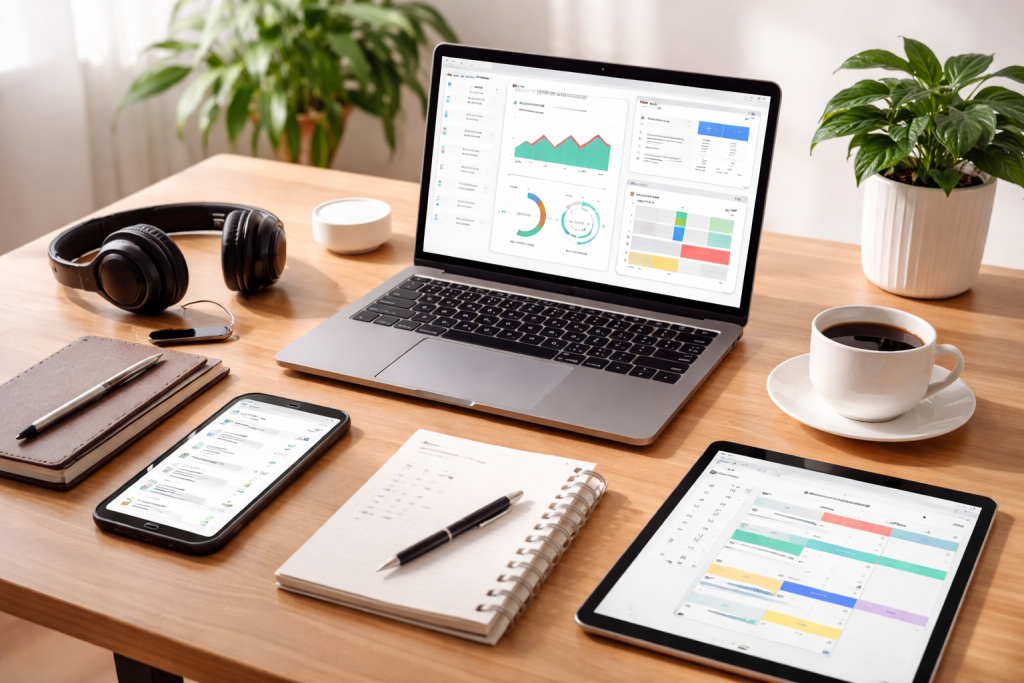
Effective communication is the cornerstone of any productive team, and in a remote setting, it becomes even more critical to ensure clarity, foster connection, and maintain a shared understanding of goals. The absence of spontaneous office banter means that intentional digital channels are paramount.
Contents
- 1 Real-time Messaging and Chat Platforms
- 2 Collaborative Document Editing and Brainstorming
- 3 Task Assignment and Progress Tracking
- 4 Workflow Automation and Reporting
- 5 Focus Enhancers and Pomodoro Timers
- 6 Time Tracking and Productivity Analytics
- 7 High-Quality Video Conferencing Suites
- 8 Webinar and Large-Scale Event Handler s
- 9 Cloud Storage and Synchronization
- 10 Secure File Transfer and Collaboration
- 11 Personal To-Do List Management
- 12 Knowledge Management and Note-Taking
- 13 Secure Remote Desktop Connection
- 14 Virtual Private Networks (VPNs)
- 15 Endpoint Security and Antivirus Software
- 16 Password Managers and Multi-Factor Authentication (MFA)
- 17 Ergonomic Guidance and Break Reminders
- 18 Mental Health and Mindfulness Resources
- 19 Performance Tracking and Goal Setting Integrations
- 20 Feedback Loops and Continuous Improvement
Real-time Messaging and Chat Platforms
Instant messaging tools serve as the virtual water cooler, enabling quick questions, informal discussions, and immediate updates. Platforms like Slack and Microsoft Teams have revolutionised remote communication by providing dedicated channels for specific projects, teams, or topics. This segmentation prevents information overload and ensures that relevant team members receive timely notifications. Features like integrated file sharing, GIF support, and emoji reactions add a layer of personality and efficiency, making digital interactions feel more natural and engaging. These platforms also often include voice and video call capabilities, providing a seamless transition from text-based conversation to a more interactive format when needed.
Collaborative Document Editing and Brainstorming
Beyond simple messaging, collaborative document editing tools are indispensable for teams working on shared projects. Google Workspace (formerly G Suite) and Microsoft 365 offer real-time co-editing functionalities for documents, spreadsheets, and presentations. Multiple users can work on the same file simultaneously, track changes, leave comments, and revert to previous versions, eliminating the inefficiencies of emailing multiple document drafts back and forth. For more creative or strategic collaboration, digital whiteboards like Miro or Mural allow teams to brainstorm ideas visually, create mind maps, and organise thoughts in a dynamic and interactive online space, mimicking the spontaneity of an in-person whiteboard session.
Effectively managing projects in a remote environment necessitates a robust system that tracks progress, assigns tasks, and ensures everyone aligns with overarching objectives. Project management software brings structure and transparency to complex workflows.
Task Assignment and Progress Tracking
Tools like Asana, Trello, and Jira provide a central hub for project planning and execution. They allow team leaders to assign tasks to specific individuals, set deadlines, and categorise work by project or department. Team members can easily see their assigned responsibilities, update their progress, and leave comments, fostering accountability and transparency. Visual representations, like Kanban boards (Trello), provide an intuitive overview of project stages, moving tasks from “to-do” to “in progress” to “done,” making it easy to identify bottlenecks and keep initiatives moving forward.
Workflow Automation and Reporting
Beyond basic task management, more advanced project management platforms offer features for workflow automation, allowing teams to define rules that trigger actions based on certain conditions. For instance, completing a task might automatically notify the next person in the workflow or update a project’s status. These tools also typically include robust reporting capabilities, which offer information about project timelines, resource allocation, and individual productivity. These reports are invaluable for identifying areas for improvement, celebrating successes, and making data-driven decisions about future projects.
The boundaries between work and personal life can easily become blurred in a remote setting. Effective time management is crucial for personal productivity and preventing burnout. Digital tools can help individuals maintain focus, track their work hours, and ensure a healthy work-life balance.
Focus Enhancers and Pomodoro Timers
Distractions are amplified in a home environment. Focus-enhancing apps like Forest or Freedom help users block distracting websites and applications for set periods, encouraging deep work. The Pomodoro Technique, which involves working in focused sprints followed by short breaks, is effectively implemented through dedicated timer apps. These tools aid in breaking down large tasks into manageable chunks, improving concentration and preventing mental fatigue.
Time Tracking and Productivity Analytics
For individuals and project-based teams, accurate time tracking is essential for billing, project analysis, and personal accountability. Tools like Toggl Track or Clockify allow users to log their work hours against specific projects or clients, providing a clear picture of how time is being spent. Many of these apps also offer productivity analytics, revealing patterns in work habits and helping users identify their most productive times or areas where they might be losing focus. This data-driven approach to time management empowers individuals to optimise their schedules and prioritise tasks more effectively.
While instant messaging and collaborative documents cover a wide range of communication needs, certain discussions necessitate real-time face-to-face interaction. Virtual meeting platforms have become indispensable for remote teams to conduct meetings, presentations, and even social gatherings.
High-Quality Video Conferencing Suites
Zoom, Google Meet, and Microsoft Teams are leading platforms that offer high-definition video and audio conferencing. Beyond basic calls, they provide features like screen sharing for presentations, virtual whiteboards for collaborative brainstorming, and recording capabilities for those who couldn’t attend or wish to review the discussion. Breakout rooms allow for smaller group discussions within a larger meeting, mimicking the dynamic of an in-person workshop.
Webinar and Large-Scale Event Handler s
For larger audiences or external-facing events, platforms like webinar.net or GoToWebinar are tailored to host webinars, training sessions, and virtual conferences. They offer advanced features such as audience polling, Q&A sections, and attendee registration, making it possible to conduct professional, interactive events without geographical limitations. These tools are crucial for remote teams looking to engage with clients, partners, or a wider community.
The ability to access, share, and store files securely and efficiently is fundamental to remote work. Cloud-based solutions have largely replaced traditional shared drives, offering greater flexibility and accessibility.
Cloud Storage and Synchronization
Services like Google Drive, Dropbox, and Microsoft OneDrive provide ample cloud storage space, allowing users to store files and access them from any device with an internet connection. Automatic synchronisation ensures that the latest versions of files are always available, eliminating the confusion of multiple copies. Permissions management allows team leaders to control who can view, edit, or download specific files, maintaining data integrity and security.
Secure File Transfer and Collaboration
For sensitive documents or large files that require secure transfer, specialised tools offer end-to-end encryption and audit trails. Beyond simple storage, these platforms integrate seamlessly with other collaboration tools, allowing for easy sharing of files within project management systems or communication channels. This integration minimises the need to switch between multiple applications, streamlining workflows and reducing friction.
Beyond project management, individual task tracking and organisation are vital for personal productivity in a remote setup. These tools help individuals keep their personal to-do lists in order and contribute effectively to team goals.
Personal To-Do List Management
Apps like Todoist, Any.do, or Microsoft To Do help individuals manage their daily tasks, set priorities, and track deadlines. They often include features like recurring tasks, subtasks, and reminders, ensuring that no important item falls through the cracks. The ability to integrate with calendars and email further streamlines personal organisation.
Knowledge Management and Note-Taking
For capturing ideas, meeting notes, and important information, tools like Evernote, OneNote, or Notion are invaluable. They allow users to create and organise notes in various formats, including text, images, audio, and web clippings. Advanced features like search functionality and tagging make it easy to retrieve information quickly, creating a personal or team knowledge base that aids in learning and problem-solving.
Sometimes, remote work requires accessing a physical computer located elsewhere, whether it’s an office workstation or a specialised server. Remote desktop access software makes this possible, enabling seamless transitions between environments.
Secure Remote Desktop Connection
Tools like TeamViewer, AnyDesk, or Chrome Remote Desktop allow users to securely connect to and control a remote computer as if they were sitting directly in front of it. This is particularly useful for IT support, accessing proprietary software only installed on specific machines, or continuing work on a high-performance workstation from a home office. These tools prioritise security with encryption and authentication protocols to protect sensitive data.
Virtual Private Networks (VPNs)
While not strictly remote desktop software, VPNs are often used in conjunction with it to create a secure, encrypted connection to a private network over the internet. This allows remote workers to access internal company resources and maintains data privacy when connected to public Wi-Fi networks, ensuring a secure gateway to the company’s network.
The distributed nature of remote work inherently increases cybersecurity risks. Protecting sensitive data and ensuring the integrity of company systems is paramount.
Endpoint Security and Antivirus Software
Every device used for remote work, be it a laptop, tablet, or smartphone, serves as an endpoint that needs robust protection. Enterprise-grade antivirus and anti-malware software are essential to detect and prevent cyber threats. These solutions often include features like real-time scanning, firewall protection, and vulnerability assessments to safeguard devices and the data they hold.
Password Managers and Multi-Factor Authentication (MFA)
Weak or reused passwords are a leading cause of security breaches. Password managers like LastPass or 1Password generate strong, unique passwords for each service and store them securely, requiring users to remember only one master password. Multi-factor authentication (MFA) adds an extra layer of security, requiring users to verify their identity through a second factor (e.g., a code from a phone app or a biometric scan) in addition to their password, significantly reducing the risk of unauthorised access.
Maintaining physical and mental well-being is crucial for sustained productivity in a remote setting. The absence of a structured office environment can lead to poor posture, prolonged screen time, and increased stress.
Ergonomic Guidance and Break Reminders
Apps and software that provide ergonomic guidance remind users to take regular breaks, adjust their posture, or perform simple stretches. Tools like eye-rest reminders or sitting posture alerts help combat the physical strain associated with prolonged computer use, promoting better health habits. Some even offer guided stretches or short exercise routines tailored for desk workers.
Mental Health and Mindfulness Resources
Remote work can sometimes lead to feelings of isolation or increased stress. Wellness apps like Headspace or Calm offer guided meditations, mindfulness exercises, and sleep aids to help manage stress, improve focus, and promote mental well-being. Companies are increasingly recognising the importance of supporting employees’ mental health, and providing access to such resources can significantly contribute to overall productivity and job satisfaction.
To truly optimise remote work, understanding and analysing productivity patterns is invaluable. These platforms offer insights into how individuals and teams are working, helping identify areas for improvement and celebrate successes.
Performance Tracking and Goal Setting Integrations
These platforms integrate with project management and communication tools to provide an overview of individual and team performance. They can track task completion rates, communication frequency, and even time spent on different applications (with appropriate privacy considerations and employee consent). This data helps managers understand workflow efficiency and identify potential bottlenecks. Moreover, they often facilitate goal setting, allowing individuals and teams to define objectives and track progress towards them, fostering a sense of accomplishment and direction.
Feedback Loops and Continuous Improvement
Beyond raw data, some analytics platforms offer features for soliciting feedback from team members, enabling managers to understand productivity challenges from their team’s perspective. This combination of quantitative data and qualitative feedback allows for a comprehensive approach to continuous improvement. By understanding what works well and what needs adjustment, organisations can iteratively refine their remote work strategies, ensuring that their teams remain engaged, efficient, and ultimately, productive.
By strategically implementing and integrating these essential tools, organisations and individuals can transform the remote work experience from a potential challenge into a powerful driver of productivity and innovation. The right digital infrastructure not only facilitates seamless collaboration and communication but also supports the well-being and growth of a distributed workforce, laying the groundwork for sustained success in the modern professional landscape.

Fit Text Graphics is the creator of SkillNexy, a platform focused on helping people learn valuable skills and grow in their careers. SkillNexy’s mission is to make skill development simple, practical, and accessible for everyone.